DevOps Troubleshooting
Resolve critical production issues, identify the real failure path, and stabilise systems without guesswork, unnecessary rewrites, or recurring emergency fixes.
Overview
When production fail, most teams do not need more dashboards, more meetings, or more theories on a list of possible causes.
They need the failure understood, isolated, and fixed.
Production issues become expensive quickly. What begins as a technical problem turns into:
- lost transactions and revenue
- delayed releases and customer commitments
- customer complaints and damaged trust
- team burnout
- temporary fixes that make the next incident harder to diagnose
We investigate and resolve high-impact infrastructure, application-delivery, and production reliability problems at root-cause level.
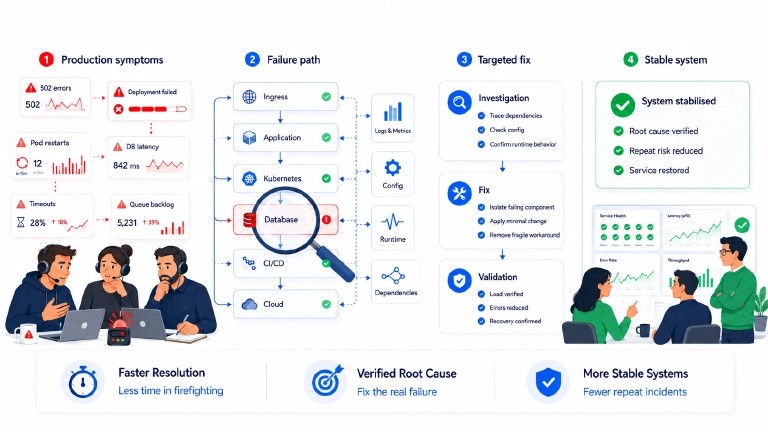
We trace the actual failure path across applications, infrastructure, databases, networks, Kubernetes, CI/CD, and external dependencies.
Then we apply the smallest effective change that restores stability without introducing unnecessary complexity.
The objective is clear: restore the service, explain why it failed, and reduce the likelihood of the same failure returning.
Related use cases
Kubernetes application uses a public DNS name for an internal API: how to keep traffic inside the cluster
A Kubernetes application became intermittently slow because internal API requests were leaving the cluster through a public DNS name. How we traced the latency to external network RTT and kept the traffic inside Kubernetes.
RabbitMQ cluster recovery after a node outage: how insufficient monitoring resulted in a split-brain cluster
A RabbitMQ Streams incident where some writes succeeded while others failed with coordinator unavailable. How we identified the authoritative Raft state, recovered the cluster safely, and fixed the monitoring gap that allowed the split-brain condition to go unnoticed.
NGINX 502 errors from one load balancer: how a segfault caused persistent upstream failures
A load balancer kept returning 502 errors even though every backend was healthy. The root cause was an NGINX segfault during log rotation, and the long-term fix combined 5xx rate monitoring with automatic recovery from kernel-reported crashes.